How to Reduce Eye Strain From Screens
I remember sitting in my old cubicle during my software engineering days, staring at a dual-monitor setup until my vision literally started to blur at the edges. It wasn’t just a little tiredness; it felt like my eyeballs were being pulled through a cheese grater. I spent a small fortune on those “revolutionary” blue-light-blocking glasses that promised to fix everything, only to realize they were nothing more than a glorified marketing gimmick. If you’re searching for how to reduce eye strain from screens and feel like you’re being sold a dozen expensive, unnecessary gadgets, trust me—I’ve been there, and I’m just as frustrated as you are.
Instead of chasing the latest tech hype, I want to share the actual, low-tech systems that worked for me when I transitioned into productivity consulting. I’m going to break down some simple, science-backed habits and small environmental tweaks that actually move the needle. No fluff, no overpriced eyewear, just practical ways to help you protect your vision so you can keep crushing your goals without the end-of-day headache.
Table of Contents
Spotting Computer Vision Syndrome Symptoms Early

Sometimes, we get so deep into a flow state—you know, that magical zone where the code is flowing or that project is finally clicking—that we completely lose touch with our physical selves. I used to do this all the time back in my engineering days. I’d look up after four hours of staring at a monitor and realize my eyes felt like they were filled with sand. That’s one of the most common computer vision syndrome symptoms, and honestly, it’s your body’s way of sending a frantic SOS.
It isn’t always a dramatic headache, either. It often starts as a subtle, nagging discomfort. You might notice your vision getting a little blurry, or perhaps you find yourself squinting more than usual to make out small text. I’ve also noticed that preventing dry eyes from digital devices becomes much harder when you realize you’ve actually stopped blinking! If you’re starting to feel a dull ache around your temples or even a bit of neck tension, don’t just power through it. Think of these signals as early warnings in a system diagnostic; catching them early is much easier than trying to fix a total burnout later.
Mastering the 20 20 20 Rule for Eye Health

If you’ve ever felt that heavy, gritty sensation in your eyelids after a long afternoon of coding or deep work, you aren’t alone. I used to think I just needed more caffeine, but it turns out my eyes were simply begging for a break. This is where the 20-20-20 rule for eye health becomes your absolute best friend. The concept is beautifully simple: every 20 minutes, look at something at least 20 feet away for at least 20 seconds. It sounds almost too easy, right? But by shifting your focus from the micro-details of a pixelated screen to a distant object, you’re essentially allowing your eye muscles to reset and relax from that constant, intense contraction.
To make this habit actually stick, I like to treat it like a little mini-automation project. I’ve set up small, gentle timers on my desktop to remind me to look up, but you can also tie it to a natural rhythm—like taking a sip of water or finishing a quick thought in your notebook. It’s one of the most effective ways of preventing dry eyes from digital devices because it encourages you to blink more naturally, rather than staring intensely at your monitor. Think of it as a micro-recharge for your vision that keeps you sharp for the long haul.
Tuning Your Digital Workspace for Maximum Comfort
- Let’s talk about your setup—think of your monitor like a roommate; you don’t want it right in your face! Try to position your screen about an arm’s length away and slightly below eye level. This way, your eye muscles aren’t working overtime just to maintain a stare, which makes a huge difference in how tired you feel by 5 PM.
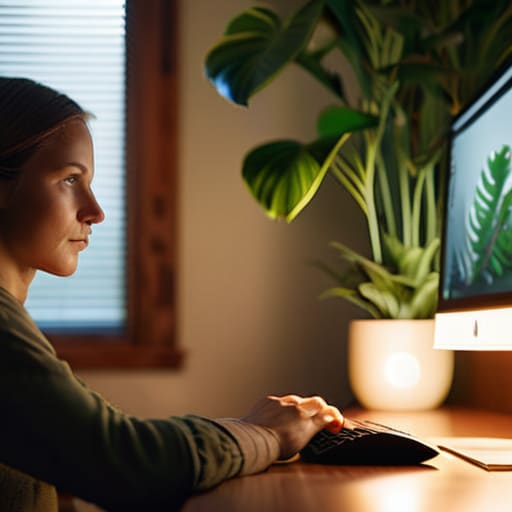
- Lighting is a bit of a balancing act, isn’t it? If your room is dark but your screen is glowing like a supernova, your eyes are going to struggle to adjust. Aim for soft, ambient lighting and try to position your desk so you aren’t getting hit by harsh glares from windows. It’s all about finding that sweet spot of equilibrium.
- It’s time to get cozy with your font sizes. I spent years squinting at tiny lines of code before I realized I was just making my life harder for no reason. Don’t be afraid to bump up that zoom level to 125% or even 150%. If you’re leaning in to read, your settings are too small!
- Have you ever noticed how we forget to blink when we’re deep in a “flow state”? It sounds silly, but it’s true. When we’re hyper-focused, our blink rate drops, leaving our eyes feeling like sandpaper. I like to keep a little sticky note on my monitor that just says “BLINK” to remind myself to keep those eyes lubricated.
- If you really want to geek out on your settings, play around with “Night Shift” or blue light filters. Think of it like putting on a pair of soothing sunglasses for your software. It shifts the color temperature toward the warmer end of the spectrum, which is much gentler on your system when the sun goes down.
Quick Wins for Your Digital Wellness
Think of eye strain as a signal from your body’s internal system—don’t ignore those early warning signs like dryness or headaches, or they’ll just become harder to troubleshoot later.
Make the 20-20-20 rule your new favorite “automation” for eye health; it’s a tiny time investment that prevents a massive system crash for your vision.
Treat your workspace like a well-designed interface; by adjusting your lighting and screen distance, you’re essentially optimizing your environment to work for you, rather than against you.
## A Little Perspective on Digital Wellness
“Think of your eyes like the most essential piece of hardware you own—you wouldn’t run a high-powered processor without a cooling system, so don’t expect your vision to thrive without a few intentional breaks from the glow.”
Jordan Bennett
Putting the Pieces Together
At the end of the day, protecting your vision isn’t about overhaulng your entire digital life overnight; it’s about making small, intentional shifts in how you interact with your devices. We’ve talked about recognizing those early warning signs of Computer Vision Syndrome before they turn into a full-blown headache, and we’ve tackled the 20-20-20 rule as a way to give your eyes a much-needed reset. Whether it’s adjusting your lighting or simply remembering to blink more often, these tiny micro-adjustments act like the essential little pieces of a puzzle. When you combine them, you create a much more sustainable way to work and play in our high-tech world without feeling like your eyes are constantly fighting a losing battle.
I know how easy it is to get lost in the “flow state” and completely forget that your body exists outside of your monitor, but I promise you, your future self will thank you for these boundaries. Think of your eye health as a long-term automation project—you’re just setting up the systems now so that your productivity remains high and your energy stays even higher. Don’t let the glare of the screen dim your spark. You deserve to navigate this fast-paced digital landscape with clarity and ease, so take a deep breath, look away from the blue light for a moment, and go enjoy the view.
Frequently Asked Questions
Is there a specific type of screen protector or blue light filter that actually works, or is it all just marketing hype?
Honestly? It’s a bit of a mixed bag. I’ve tinkered with all sorts of blue light glasses and films, and if I’m being real, a lot of it is clever marketing. While some filters can soften that harsh glare, they aren’t a magic fix. Instead of hunting for the “perfect” gadget, I’d focus on adjusting your screen’s color temperature settings—it’s free, built-in, and actually does the heavy lifting for your eyes!
How much does the lighting in my room actually impact my eye strain compared to the brightness of my monitor?
Think of it like trying to read a book in a dark room with a flashlight pointed right at your face—it’s a recipe for a headache! It’s not just about one or the other; it’s about the contrast. If your monitor is a glowing sun in a dim room, your eyes are working overtime to adjust constantly. You want your ambient lighting to feel balanced with your screen so your pupils aren’t playing tug-of-war all day.
If I'm working in a dark room at night, are there specific settings I should tweak to make things less taxing on my eyes?
Oh, the “midnight coder” vibe! I love it, but your eyes definitely pay the price. When the room goes dark, that bright screen becomes a spotlight in a cave, which is a recipe for strain. First, ditch the harsh white light by enabling “Night Shift” or a blue light filter—it warms up the screen and feels much gentler. Also, try to match your monitor’s brightness to the room; if your screen is glowing like a supernova while everything else is dim, your eyes are going to struggle!