How to Set Up a Smart Home on a Budget
I was standing in my kitchen last Tuesday, staring at a smart lightbulb that refused to connect to my Wi-Fi, while my automated coffee maker sat mockingly silent. It was one of those moments where I realized that most people think learning how to set up a smart home requires a degree in computer science or a massive bank account, but that is a total myth. In reality, it’s less about high-end gadgets and more about understanding the underlying logic of how your devices talk to one another. If you treat it like a giant, slightly chaotic puzzle rather than a technical chore, the pieces actually start to fit together beautifully.
I’m not here to sell you on a futuristic lifestyle that requires you to spend your entire weekend troubleshooting firmware updates. Instead, I want to share the exact, no-nonsense framework I use to build efficient, automated spaces that actually work for you. We’re going to break this down into manageable, bite-sized steps—from choosing a central “brain” for your house to ensuring your devices play nice together. By the end of this guide, you’ll have a clear roadmap to transform your living space into a seamless, helpful ecosystem without the usual tech-induced headache.
Table of Contents
- Step-by-Step Instructions
- Finding Your Center With the Best Smart Home Hubs 2024
- Mastering Smart Home Ecosystem Compatibility for Seamless Living
- Five Pro-Tips to Keep Your Smart Home from Becoming a Tech Headache
- Small Wins, Big Impact: My Top 3 Takeaways
- The Heart of the System
- Piecing Together Your Automated Life
- Frequently Asked Questions
Guide Overview
Tools & Supplies
- Smartphone for app configuration and device pairing
- Wi-Fi Router for establishing the network backbone
- Smart Hub/Assistant (1 unit)
- Smart Bulbs (2-4 units)
- Smart Plugs (2 units)
- Smart Sensors (1-2 units)
Step-by-Step Instructions
- 1. First things first, you need to pick your “brain”—the central hub or ecosystem that will act as the conductor for your entire digital orchestra. Think of this like choosing the operating system for your life; whether you lean toward Apple HomeKit, Amazon Alexa, or Google Home, this decision will dictate which gadgets play nicely together. I always tell my clients to start with what you already use most often, like your smartphone, to keep the learning curve from feeling like a steep mountain climb.
- 2. Next, we need to audit your home’s connectivity, because even the smartest lightbulb is just a paperweight if your Wi-Fi is acting up. Before you go out and buy a dozen new devices, take a moment to check your router’s range and strength in the rooms where you actually want to use your tech. If you find yourself getting “dead zones” in the kitchen or bedroom, you might want to look into a mesh Wi-Fi system to ensure your new smart gadgets have a solid foundation to stand on.
- 3. Now comes the fun part: picking your “low-hanging fruit” devices to get that first win. Instead of trying to automate your entire house in one weekend, I suggest starting with something simple and high-impact, like a smart plug or a couple of smart bulbs. There is something incredibly satisfying about turning off the lights with a voice command or a tap on your phone after you’ve already crawled into bed, and these small victories will give you the momentum to tackle bigger projects later.
- 4. Once you have your first few pieces, it’s time to get them talking to each other through your chosen ecosystem’s app. This is where you’ll actually “onboard” your devices, which usually involves scanning a QR code or following a few prompts to link them to your Wi-Fi. As a former engineer, I can tell you that naming your devices logically is a total game-changer; instead of “Bulb 1” and “Bulb 2,” try “Living Room Lamp” or “Reading Light” so your voice assistant actually understands what you’re asking for.
- 5. After your devices are connected, let’s move from manual control to true automation by setting up “Scenes” or “Routines.” This is where the real magic happens—it’s the difference between just having a remote-controlled light and having a home that anticipates your needs. For example, you could create a “Good Morning” routine that gradually brightens your bedroom lights and starts your coffee maker at 7:00 AM, making your morning transition feel less like a shock to the system and more like a gentle nudge.
- 6. Finally, don’t forget about the “safety net” step: security and maintenance. As you add more layers to your digital life, make sure you’re using strong, unique passwords for your accounts and keeping your device firmware updated. I like to treat my smart home like a garden; it needs a little bit of regular tending and pruning to make sure everything stays secure and running smoothly, but once you find that rhythm, it becomes second nature.
Finding Your Center With the Best Smart Home Hubs 2024
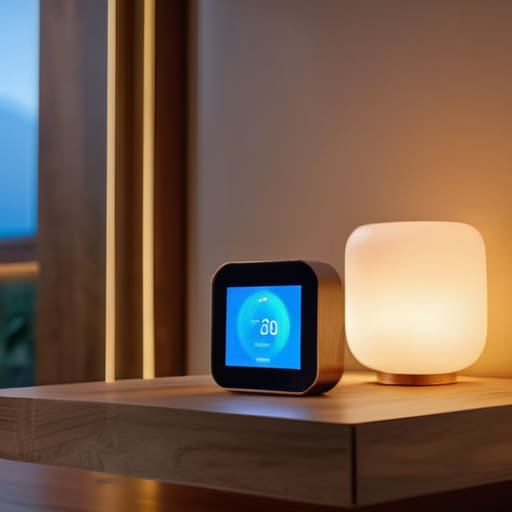
Think of your smart home like a complex orchestra. You can have the most talented musicians in the world—your smart bulbs, locks, and thermostats—but without a conductor, they’re just playing different tunes at the same time. That conductor is your hub. When I was working in software engineering, we called this “centralized control,” but in your living room, it’s really about finding the heartbeat of your house. Choosing from the best smart home hubs 2024 isn’t just about picking the flashiest gadget; it’s about ensuring that every piece of tech you buy can actually “talk” to the others.
This is where smart home ecosystem compatibility becomes your best friend. I always tell my clients to look under the hood before they buy. If you’re leaning heavily into one brand, you might want a hub that plays nice with that specific ecosystem, but if you love tinkering with different brands—like I do with my DIY automation projects—you’ll want something more universal. A great hub acts as the glue, bridging the gap between your various gadgets so that your morning routine feels like a seamless symphony rather than a chaotic tech glitch.
Mastering Smart Home Ecosystem Compatibility for Seamless Living
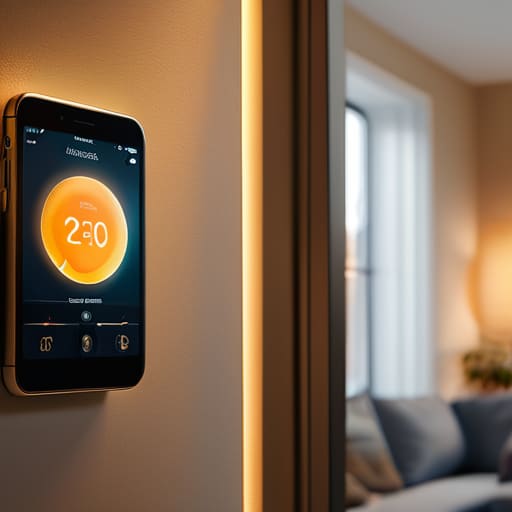
Now, here is where the puzzle can either click perfectly into place or leave you feeling like you’ve got a box of mismatched pieces. The biggest headache I see—and I’ve definitely been there during my engineering days—is buying a bunch of cool gadgets that simply refuse to talk to one another. To avoid this, you really need to prioritize smart home ecosystem compatibility before you hit “buy” on that next shiny device. Think of it like choosing a language; if your lights speak French and your thermostat only speaks Japanese, you’re going to have a very frustrating afternoon trying to get them to coordinate.
To keep things running smoothly, I always recommend checking for Matter or Thread support, which are like the universal translators of the tech world. When you focus on a unified platform, your voice assistant integration becomes much more intuitive. Instead of opening five different apps just to dim the lights and lock the front door, you can just say a single command. It turns a collection of random gadgets into a cohesive, living system that actually works for you, rather than adding more chores to your to-do list.
Five Pro-Tips to Keep Your Smart Home from Becoming a Tech Headache
- Start with a “Problem-First” Mindset. Before you go out and buy every shiny new gadget on the shelf, ask yourself: “What actually annoys me in my daily routine?” Maybe it’s fumbling for light switches in the dark or forgetting to turn off the AC when you leave. Solve those real-life friction points first, and the rest of the tech will feel like a tool rather than a toy.
- Map Out Your Wi-Fi Dead Zones. There is nothing more frustrating than a smart plug that constantly goes “offline” just because it’s sitting behind a heavy sofa. Think of your Wi-Fi like the nervous system of your home; if the signal can’t reach the extremities, your smart devices won’t be able to “feel” your commands. A little bit of planning (or a mesh network upgrade) goes a long way.
- Don’t Forget the “Analog” Backup. I love automation, but I’ve learned the hard way that life happens. Always ensure your smart lights can still be toggled by a physical switch and your smart locks have a manual key option. You want a home that’s smart, not a home that locks you out because the internet decided to take a nap.
- Layer Your Automation Slowly. It’s tempting to try and program a complex “Good Morning” routine that opens the blinds, starts the coffee, and plays jazz all at once. But if one device glitches, the whole sequence breaks. Start with simple, single-trigger actions and gradually build up your “if-this-then-that” logic as you get comfortable with how your devices interact.
- Prioritize Security as Much as Convenience. Think of every smart device as a tiny digital window into your home. Whenever possible, opt for brands that offer robust two-factor authentication and regular firmware updates. It’s much easier to set up a secure system from the start than it is to try and patch a dozen vulnerable gadgets later!
Small Wins, Big Impact: My Top 3 Takeaways
Don’t try to solve the whole puzzle at once; start with one room or one specific problem—like lighting or security—to avoid feeling overwhelmed by the tech.
Compatibility is your best friend, so always double-check that your new gadgets play nice with your existing hub before you hit that “buy” button.
Remember that the goal isn’t just to have cool gadgets, but to build a system that actually gives you time back in your day.
The Heart of the System
“Think of setting up a smart home less like building a rigid machine and more like tending to a garden; you aren’t just plugging in gadgets, you’re planting small, automated seeds that, once they take root, work together to make your daily life bloom with ease.”
Jordan Bennett
Piecing Together Your Automated Life

We’ve covered a lot of ground together, from selecting that central hub to making sure your devices actually play nice with one another. Building a smart home isn’t about buying every shiny new gadget on the market; it’s about intentional integration. By focusing on compatibility and starting with a solid foundation, you’ve moved past the overwhelming “tech clutter” phase and into a space where your devices actually serve you. Remember, the goal is to create a system that works in the background, allowing you to focus on the things that truly matter instead of constantly troubleshooting your lightbulbs.
At the end of the day, think of your smart home as a living, breathing puzzle that you get to design at your own pace. There is no “perfect” setup, only the one that makes your specific daily routine feel a little more seamless and a lot more joyful. Don’t be afraid to tinker, swap things out, or even start small—the most efficient systems are often the ones that evolve alongside our needs. I truly believe that once you find that perfect rhythm between tech and lifestyle, you’ll wonder how you ever managed without it. Now, go out there and start building your smarter, simpler future!
Frequently Asked Questions
Will adding all these smart devices mess with my home Wi-Fi speed or cause it to lag?
That is such a common concern, and honestly, I used to obsess over it too! Think of your Wi-Fi like a highway: if too many cars (or devices) try to merge at once, things get congested. While most modern smart gadgets use very little bandwidth, having fifty devices can definitely create some “traffic jams.” To keep things smooth, I usually recommend a mesh network or a dedicated router to ensure your streaming and gaming stay lightning-fast.
I'm a bit worried about privacy—how do I make sure my smart home isn't spying on me?
I totally get it—the idea of a “listening” house can feel a bit like having a roommate who never sleeps and records everything. Honestly, it’s a valid concern! To keep your privacy intact, I always recommend checking your device settings to disable “human review” of voice clips and using physical camera shutters when you aren’t using them. Think of it like locking your front door; a few simple digital habits go a long way in keeping your sanctuary truly private.
Is it worth investing in expensive brand-name gear right away, or should I start with some budget-friendly DIY options?
Honestly? Don’t break the bank on day one. Think of it like building a Lego set—you don’t need the massive, expensive collector’s edition to start having fun. I always recommend starting with a few budget-friendly, reliable pieces to see how they play with your existing setup. Once you’ve figured out your rhythm and which “pieces” actually make your life easier, then you can start investing in those premium, high-end upgrades.