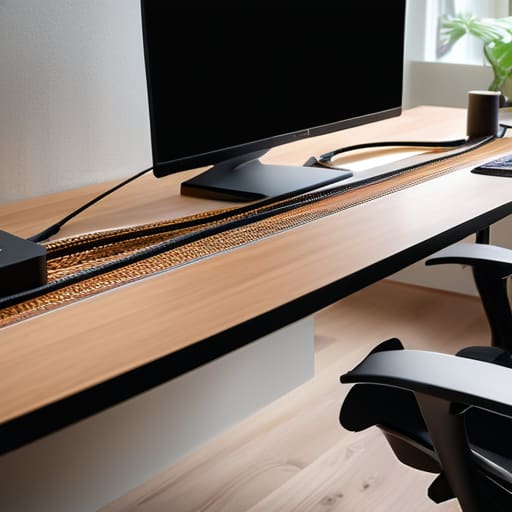
Diy Cable Management to Tame the Cord Chaos
I was sitting on my floor last Tuesday, staring at the terrifying, dust-caked “octopus” of wires lurking behind my standing desk, and I realized something: I was actually stressed by a pile of plastic cords. It sounds silly, right? But as someone who spent years in software engineering, I know that visual clutter is just physical noise that disrupts your cognitive flow. I had spent a fortune on fancy gadgets, yet my workspace felt like a chaotic puzzle I couldn’t solve. That’s when I decided to stop buying expensive, pre-made organizers and dive headfirst into some serious cable management diy projects using things I already had in my junk drawer.
I’m not here to sell you on some high-end, aesthetic-only lifestyle that requires a massive budget and a degree in interior design. Instead, I want to show you how to use simple, clever hacks to reclaim your sanity. In this guide, I’m sharing my favorite no-nonsense solutions—from using binder clips to repurposing old shoeboxes—to help you untangle the mess once and for all. We are going to turn that overwhelming nest of wires into a streamlined system that actually works for your life, making your desk a place where you can finally focus and thrive.
Table of Contents
- Step-by-Step Instructions
- Smart Under Desk Cable Management Solutions for Clarity
- Using Velcro Straps for Cables to Simplify Your Life
- My Secret Toolkit: 5 Little Wins for a Wire-Free Life
- Small Wins for a Clutter-Free Mind
- ## The Philosophy of a Tidy Desk
- Taming the Tech Jungle
- Frequently Asked Questions
Guide Overview
Tools & Supplies
- Scissors or wire cutters to trim ties
- Label maker or masking tape for identification
- Velcro cable ties (1 pack)
- Cable management sleeves or raceways (1 set)
- Adhesive cable clips (1 pack)
- Zip ties (1 small bag)
Step-by-Step Instructions
- 1. First things first, we need to perform a little “tech archaeology.” Unplug everything and lay your cables out on the floor. It might look like a disaster zone right now, but I promise it’s the only way to see exactly what you’re working with. Group them by their destination—like all your monitor cables in one pile and your power strips in another—so you can actually see the logic behind the mess.
- 2. Grab a handful of Velcro cable ties—and please, let’s make a pact to avoid those plastic zip ties if we can. Zip ties are great for permanent installs, but they’re a nightmare when you want to swap out a mouse or add a new gadget. Velcro is much more forgiving; it’s like giving your wires a soft, reusable hug that makes future adjustments a total breeze.
- 3. Now, let’s tackle the “under-desk abyss” by installing a cable management tray or a simple wire basket. I’m a huge fan of mounting these directly to the underside of your desk using screws or heavy-duty command strips. This creates a dedicated home for your power bricks and bulky adapters, lifting them off the floor and out of your line of sight entirely.
- 4. For those pesky cables that need to travel from your desk to the floor, let’s use some adhesive cable clips. Think of these as little signposts for your wires. By clipping them along the edge or the legs of your desk, you prevent them from dangling awkwardly or getting caught under your chair wheels, which is a total productivity killer.
- 5. If you have a lot of thin cables, like USB cords or phone chargers, I highly recommend using some decorative hollow tubing or even just some simple split loom sleeving. It gathers a dozen tiny, chaotic lines into one single, clean-looking “pipe.” It’s a bit like tidying up a messy drawer by using dividers; it turns visual noise into a single, manageable stream.
- 6. Finally, let’s add a little bit of labeling magic. Use a small piece of masking tape or a dedicated label maker to mark both ends of every cable. There is nothing more frustrating than being mid-project and having to play detective to figure out which black cord belongs to your printer and which one belongs to your lamp. Trust me, your future self will thank you!
Smart Under Desk Cable Management Solutions for Clarity
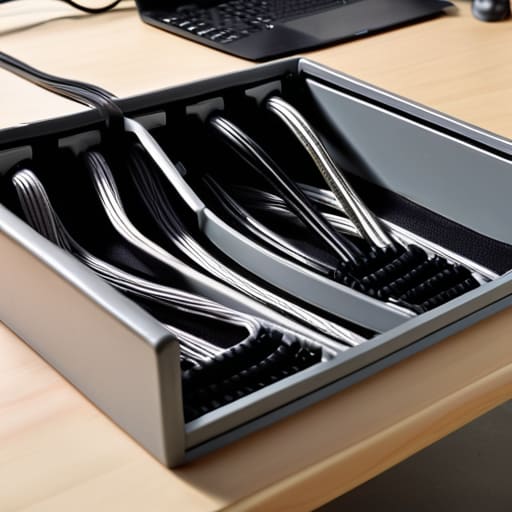
Once you’ve tackled the visible mess on top of your desk, it’s time to look downward. If you peek under your workstation right now, you might see a “spaghetti monster” of power strips and adapters lurking in the shadows. This is where most people lose the battle, but it’s actually the secret to long-term success. I’m a huge fan of using velcro straps for cables rather than those annoying plastic zip ties. Since I love tinkering with my setup, I’ve learned that things change—you’ll eventually want to swap a monitor or add a new lamp. Velcro allows you to reconfigure your setup on the fly without having to snip through anything or start from scratch.
For a truly seamless look, I highly recommend investing in some dedicated under desk cable management solutions like wire mesh trays or mounting brackets. If you’re feeling extra crafty, you can even use some simple DIY cable routing techniques, like attaching a small wooden ledge to the underside of your desk to act as a hidden shelf for your power bricks. It’s all about creating a clean, invisible system that keeps the chaos out of sight and out of mind.
Using Velcro Straps for Cables to Simplify Your Life
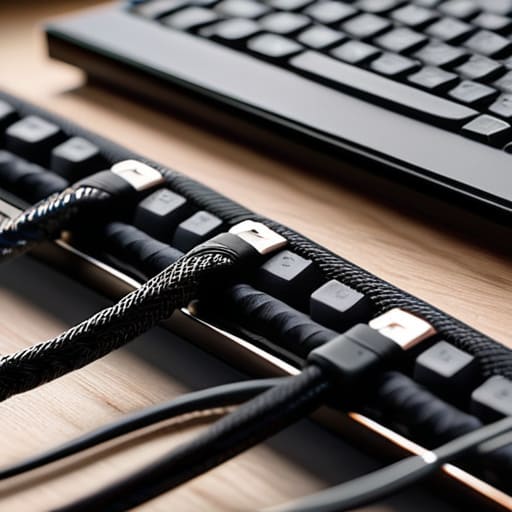
If there is one thing my years in software engineering taught me, it’s that rigid solutions are the enemy of progress. When you’re constantly swapping out peripherals or moving your laptop, those plastic zip ties you see in every “pro” tutorial can actually become a massive headache. This is exactly why I’m such a huge advocate for using velcro straps for cables. They are incredibly forgiving; if you decide to add a new monitor or rearrange your setup, you just peel, re-adjust, and you’re good to go. It turns a permanent mistake into a quick, painless tweak.
I like to think of velcro as the “flexible logic” of my workspace. Instead of forcing wires into a static path, I use them to bundle cords into neat, manageable groups before tucking them away. This is one of my favorite diy cable routing techniques because it prevents that dreaded “spaghetti mess” from forming under your feet. Pro tip: grab a roll of different colors! I use one color for power strips and another for data cables. It makes troubleshooting a breeze and keeps your cord management for home office looking intentional rather than accidental.
My Secret Toolkit: 5 Little Wins for a Wire-Free Life
- Label everything with a simple piece of masking tape or a label maker; there is nothing more frustrating than unplugging the “wrong” lamp during a late-night study session!
- Grab some cheap adhesive cable clips to guide your cords along the edges of your desk, keeping them from drooping into that awkward, messy sag.
- Use a sturdy power strip mounting bracket to lift your surge protector off the floor and onto the underside of your desk, clearing up all that dusty floor space.
- Don’t overlook the power of a simple decorative basket tucked under your desk to act as a “catch-all” for the bulkier power bricks and longer extensions.
- Periodically “audit” your setup like I do with my automation projects—if you haven’t used a device in months, unplug it and tuck that cord away for good!
Small Wins for a Clutter-Free Mind
Remember that cable management isn’t just about aesthetics; it’s about reducing the visual noise that distracts you from your best work.
Start small with simple tools like Velcro straps—you don’t need a massive overhaul to feel the immediate relief of an organized desk.
Think of your setup as a living system; as you add new gadgets, take five minutes to integrate them so the “cable chaos” doesn’t creep back in.
## The Philosophy of a Tidy Desk
“Think of cable management not as a chore, but as clearing the static from your mental frequency; when you untangle the physical clutter under your desk, you’re actually making room for your best ideas to breathe.”
Jordan Bennett
Taming the Tech Jungle
At the end of the day, tackling your cable management isn’t just about hiding a bunch of black wires; it’s about reclaiming your mental space. We’ve walked through everything from the heavy lifting of under-desk trays to the quick, satisfying win of using Velcro straps to keep things tidy. By applying these small DIY tweaks, you’ve moved from a chaotic nest of tangled cords to a setup that actually works with you rather than against you. It’s all about those incremental shifts—like choosing a smart tray or a simple fastener—that eventually lead to a seamlessly organized workspace that feels light and intentional.
I know that staring at a mountain of wires can feel overwhelming, like a puzzle with half the pieces missing, but remember that you don’t have to solve it all in one afternoon. Start small, grab your notebook, and tackle one corner at a time. Once you see that first clear patch of desk surface, I promise you’ll feel that sudden rush of clarity. You aren’t just cleaning up a mess; you are designing an environment where your best ideas can actually breathe. You’ve got this, and I can’t wait to hear how your new, streamlined setup changes your daily flow!
Frequently Asked Questions
I’ve tried using zip ties before, but they seem so permanent—is there a way to organize my cables without accidentally cutting into one when I want to move my desk?
Oh, I hear you! I used to be the queen of zip ties until I accidentally sliced through a charging cable during a desk reshuffle—total nightmare. Honestly, zip ties are like that one friend who refuses to leave the party; they’re just too permanent. Switch to Velcro wraps instead. They’re a total game-changer because they’re reusable, adjustable, and way gentler on your tech. It makes rearranging your setup feel like a breeze rather than a surgery!
How do I deal with those heavy power bricks that always seem to dangle and pull everything down?
Ugh, those heavy power bricks are the absolute worst—it’s like having tiny, clumsy anchors dragging your whole setup down! I used to struggle with this constantly in my old engineering days. My favorite hack? Grab some heavy-duty mounting tape or a dedicated under-desk cable tray. If you want to get a little DIY, you can even screw a small wooden shelf or a wire basket to the underside of your desk. It keeps them tucked away and off the floor!
Is it actually worth investing in expensive cable trays, or can I build something effective using stuff I already have in my junk drawer?
Honestly? You don’t need to drop a paycheck on fancy trays. I’ve spent way too many hours tinkering with DIY hacks to tell you that “expensive” doesn’t always mean “better.” Dig through that junk drawer! A few sturdy binder clips, some leftover command hooks, or even an old shoe organizer can do wonders. It’s all about creating a simple path for your wires to follow. Let’s save your budget for something more fun!