
How to Protect Yourself From Financial Fraud
I remember sitting at my desk three years ago, surrounded by half-finished automation scripts and empty coffee mugs, when my phone buzzed with a text that looked exactly like a legitimate alert from my bank. My heart did that frantic little skip—the kind that tells you something is fundamentally broken in the system. It was a sophisticated phishing attempt, and even with my background in software engineering, it nearly had me. Most people think that learning how to protect yourself from fraud requires a PhD in cybersecurity or a massive budget for high-end software, but honestly? That’s a total myth. The tech industry loves to sell you complex, expensive “shields” when the real vulnerability is usually much more human and much simpler to fix.
I’m not here to sell you a subscription to some overpriced security suite or drown you in technical jargon that sounds like a foreign language. Instead, I want to help you piece together a practical, low-friction defense that fits into your actual life. I’m going to share the exact, no-nonsense strategies I use to keep my digital footprint clean and my sanity intact. Think of this as your personal blueprint for building a fraud-proof life, one simple, effective piece at a time.
Table of Contents
Recognizing Phishing Attempts Before They Fit in

Think of a phishing attempt like a piece of a puzzle that looks almost right, but when you try to snap it into place, the edges just don’t match. You get an email from your “bank” claiming there’s an urgent issue, but the tone feels slightly off—maybe a little too aggressive or strangely formal. One of my favorite cybersecurity best practices for individuals is to stop and look at the sender’s actual email address. If it’s a jumble of random numbers and letters instead of a clean company domain, your intuition is spot on; that’s a red flag.
I used to think these scammers were masterminds, but once you start recognizing phishing attempts for what they really are—digital bait—the illusion breaks. They rely on creating a sense of panic to make you bypass your logical brain. They want you to click that link before you think. Instead, treat every unexpected request for sensitive data as a puzzle that needs a second look. If a link feels fishy, don’t click it; go directly to the official website through your browser instead.
Securing Online Banking Accounts to Keep Pieces Safe
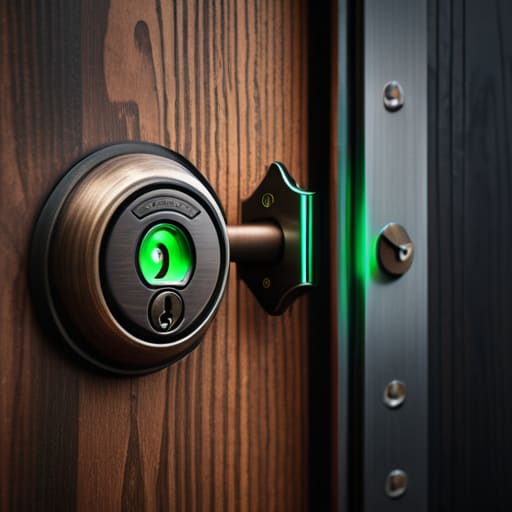
Think of your bank account like the most precious piece of a complex puzzle; if it goes missing, the whole picture starts to fall apart. When it comes to securing online banking accounts, I always tell my clients to treat their login credentials like their house keys. You wouldn’t just leave your front door wide open with a “Welcome” mat for every stranger on the street, right? This is exactly why Multi-Factor Authentication (MFA) is a total game-changer. Even if a hacker manages to snag your password, that extra layer of verification acts like a sturdy deadbolt, keeping the bad actors out of your financial life.
Beyond just locking the door, you need to keep a close eye on the pieces you’ve already laid down. I’ve learned through my DIY automation projects that consistent monitoring is the secret sauce to staying ahead of trouble. Set up real-time transaction alerts on your phone so you can spot any weird activity immediately. If you see a charge that doesn’t look quite right, you’re essentially catching a broken piece before it ruins the entire assembly. It’s all about being proactive rather than reactive.
Building Your Digital Fortress: 5 Small Tweaks for Big Peace of Mind
- Treat your passwords like your toothbrush—don’t share them with anyone and get a new one every once in a while. Better yet, use a password manager so you aren’t trying to memorize a hundred different complex strings of characters. It’s one less mental puzzle for you to solve every morning!
- Enable Multi-Factor Authentication (MFA) on everything that allows it. Think of it as adding a second deadbolt to your front door; even if someone manages to snag your key, they’re still stuck on the porch. It’s a tiny bit of extra friction that provides a massive amount of security.
- Keep your software updated, even when that “Update Now” pop-up is being annoying. Those updates aren’t just for new emojis; they’re often patches for security holes that fraudsters are actively trying to crawl through. It’s like fixing a loose plank in your floor before someone trips on it.
- Be wary of “too good to be true” offers that pop up in your feed or inbox. If an investment or a deal feels like a piece of a puzzle that’s just too perfectly shaped to be real, it probably is. Slow down, breathe, and verify the source before you click anything.
- Regularly audit your digital footprint and subscriptions. I like to sit down once a month and look at my bank statements and app permissions like I’m tidying up a messy desk. If you see a charge or a service you don’t recognize, tackle it immediately—don’t let the small pieces of clutter turn into a giant mess later.
My Quick Cheat Sheet for Staying One Step Ahead
Treat every unexpected link or “urgent” email like a puzzle piece that doesn’t quite fit; if it feels slightly off, it probably is, so take a beat to verify before you click.
Think of multi-factor authentication as your digital deadbolt—it might take an extra second to turn the key, but it’s the best way to make sure only you have access to your most important accounts.
Keep your digital toolkit updated by automating your software patches, because letting those security updates run in the background is like pre-assembling the easy parts of a project so you can focus on the big picture.
## The Big Picture
“Think of fraud prevention not as a scary chore, but as building a custom security system for your life; once you understand how the pieces fit together, you can stop worrying about the cracks and start focusing on the fun stuff.”
Jordan Bennett
Putting the Final Pieces in Place

At the end of the day, protecting yourself from fraud isn’t about building an impenetrable fortress; it’s about learning how to spot the pieces that don’t quite fit. We’ve talked about sniffing out those sneaky phishing attempts and locking down your banking accounts like you’re securing a precious heirloom. By staying vigilant and implementing these small, automated layers of defense, you’re essentially creating a personal security blueprint. It might feel like a lot of moving parts right now, but once you integrate these habits into your daily routine, they become second nature, leaving you much less vulnerable to those unexpected digital hiccups.
I know that staring down the complexities of cybersecurity can feel a bit overwhelming, almost like looking at a thousand-piece puzzle without the box cover. But remember, you don’t have to solve the whole thing in one sitting. Start with one small change today—maybe it’s updating a password or turning on multi-factor authentication—and build from there. You have the tools and the capability to take control of your digital environment. Keep tinkering, keep learning, and most importantly, keep moving forward with confidence. You’ve got this!
Frequently Asked Questions
I've set up my banking security, but what should I do if I realize I've already clicked on a suspicious link?
Oh no, that sinking feeling in your stomach? I’ve been there, and I know exactly how it feels. Deep breaths—we can fix this. First, immediately disconnect your device from the Wi-Fi to stop any data from leaking. Next, jump onto a different, secure device to change your banking passwords and enable multi-factor authentication. Finally, call your bank right away. Think of it like catching a puzzle piece before it falls off the table; quick action keeps the whole picture intact.
Are there any specific "red flag" phrases or patterns I should look out for in text messages, not just emails?
Think of text messages like a quick puzzle—scammers love to use “urgency” to make you rush and miss the missing pieces. Watch out for phrases like “Action Required Immediately,” “Your account is suspended,” or “Final notice.” They often use weirdly formal language or odd typos to throw you off. If a text asks you to click a link to “verify your identity” or claims you’ve won a prize you never entered for, it’s a red flag!
How can I balance keeping my accounts super secure without making my daily digital life a total headache?
Think of security like a smart home setup: you want the locks to work perfectly without having to fumble with a heavy keychain every single time you walk through the door. The secret sauce is using a password manager. It handles the heavy lifting of remembering complex codes, so you only have to remember one master key. Pair that with biometric logins—like FaceID—and you get ironclad protection that actually feels seamless, not stressful.