
Remote Work Tips to Stay Productive and Sane
I remember sitting at my kitchen table three years ago, surrounded by three half-empty coffee mugs and a mountain of tangled charging cables, staring at a laptop screen that felt like it was mocking me. I had all the “must-have” ergonomic gadgets and a fancy standing desk, yet I still felt like I was drowning in a sea of digital noise. It turns out, most of the advice you find online regarding remote work tips is just a way to sell you more expensive hardware you don’t actually need. We’ve been told that productivity is about the perfect setup, but after a decade in tech, I’ve realized it’s actually about how you architect your mental space.
I’m not here to sell you a lifestyle makeover or a $500 productivity app. Instead, I want to share the practical, battle-tested systems I’ve gathered from my years as an engineer and consultant to help you reclaim your focus. We are going to look at simple, high-impact tweaks to your routine that actually work in the real world. My goal is to help you stop fighting your environment and start building a workflow that finally clicks into place.
Table of Contents
Home Office Setup Essentials to Clear Your Mental Clutter

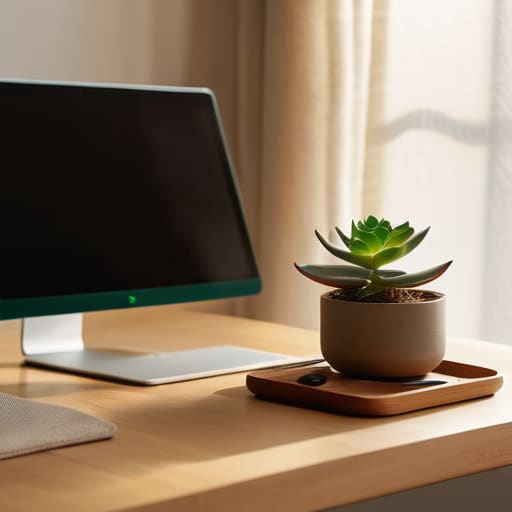
Think of your physical workspace as the hardware that runs your brain’s software. When my desk was a chaotic mess of tangled charging cables and half-empty coffee mugs, my mental processing felt just as sluggish. It’s hard to focus on deep work when your peripheral vision is constantly catching a pile of laundry or a stack of unopened mail. Investing in a few home office setup essentials—like a dedicated monitor stand or even just a simple desk organizer—isn’t about being a perfectionist; it’s about reducing the “visual noise” that drains your cognitive energy before you even start your first task.
I’ve found that creating a physical boundary between “work mode” and “home mode” is one of the most effective ways of avoiding burnout while working remotely. Even if you don’t have a spare room for a formal office, try to designate a specific corner or a particular chair that is strictly for professional use. When you sit there, your brain receives a signal that it’s time to focus, and more importantly, when you stand up and leave that spot, you’re giving yourself permission to actually unplug.
Remote Work Productivity Hacks for a Smoother Workflow

Once you’ve got your physical space sorted, it’s time to tackle the invisible friction that slows us down. I used to think productivity was just about working harder, but my time in software engineering taught me it’s actually about optimizing the system. One of my favorite remote work productivity hacks is implementing “time-blocking” for deep work. Instead of letting your inbox dictate your morning, carve out a ninety-minute window where all notifications are silenced. Think of it like setting a firewall for your brain; it keeps the distractions out so you can actually focus on the complex tasks that require your full cognitive load.
Another huge piece of the puzzle is setting clear boundaries to protect your energy. Without a commute to act as a buffer, the lines between “office time” and “me time” tend to blur into a messy smudge. I’ve found that creating a “shutdown ritual”—even something as simple as closing your laptop and writing a quick to-do list for tomorrow in my notebook—is essential for avoiding burnout while working remotely. It signals to your brain that the workday is officially over, allowing you to actually unplug and recharge without that nagging sense of unfinished business.
Small Tweaks to Keep Your Momentum from Fizzling Out
- Treat your “commute” as a mental buffer zone. Instead of rolling straight from your pillow to your laptop, take fifteen minutes to walk around the block or enjoy a coffee without a screen. It’s like letting your brain’s operating system boot up properly before you start running heavy programs.
- Master the art of the “Digital Sunset.” When the workday is done, close those browser tabs and, if you can, physically move away from your workspace. If your office is also your living room, even a simple ritual like lighting a specific candle can tell your brain, “Hey, we’re officially off the clock now.”
- Use “Time Blocking” to protect your focus. I used to treat my calendar like a suggestion rather than a guide, but now I schedule specific chunks for deep work and even for checking emails. It stops your day from feeling like a never-ending game of Whac-A-Mole with notifications.
- Over-communicate, but keep it concise. Without the casual “watercooler talk,” it’s easy for teammates to feel out of the loop. A quick, proactive Slack update on what you’re tackling can prevent that nagging feeling of isolation and keep everyone’s gears turning in sync.
- Build in “Micro-Breaks” to prevent burnout. Think of your energy like a battery; if you run it down to 0% every single day, it’s going to degrade fast. Stepping away for five minutes to stretch or grab water isn’t “wasting time”—it’s actually a way to recharge so you can finish the day strong.
Bringing It All Together: Your Remote Success Cheat Sheet
Treat your environment like a piece of software; if your physical space is buggy and cluttered, your mental processing speed will drop right along with it.
Don’t just work harder, work smarter by layering small, automated tweaks into your routine to handle the “busy work” that usually drains your energy.
Remember that productivity isn’t about squeezing every last drop of labor out of your day, but about building a sustainable system that actually lets you enjoy your life outside of the screen.
Finding Your Rhythm
“Think of remote work not as a battle against distractions, but as a design challenge; when you stop fighting your environment and start intentionally building it, the chaos finally starts to feel like a flow.”
Jordan Bennett
Piecing It All Together
At the end of the day, mastering remote work isn’t about finding one “magic” app or building a laboratory-grade office setup overnight. It’s about the small, intentional adjustments—like clearing that physical clutter from your desk to ease your mental load or implementing those tiny workflow hacks that stop you from feeling like you’re constantly drowning in tabs. We’ve looked at how your environment shapes your focus and how the right digital systems can act as the connective tissue for your entire workday. When you combine a dedicated workspace with smart, repeatable habits, you stop reacting to your schedule and start actually driving it.
I know that some days, even with the best intentions, the puzzle pieces just won’t seem to fit. You might have a day where your Wi-Fi dies or your focus vanishes into thin air, and that’s perfectly okay. Productivity isn’t about achieving flawlessness; it’s about building a system that is resilient enough to handle the hiccups. Think of these tips as tools in your kit rather than rigid rules you have to follow perfectly. You have the power to design a life that works for you, not against you, so take a deep breath, grab your notebook, and start building your perfect flow one small step at a time.
Frequently Asked Questions
How do I stop my home life from bleeding into my work hours when I don't have a physical commute to separate them?
Think of your day like a piece of software—it needs a clear “boot up” and “shutdown” sequence to run smoothly. Since you’ve lost that physical commute, you have to build a “psychological commute” instead. Try a ritual: a fifteen-minute walk, a specific playlist, or even just changing out of your pajamas. It signals to your brain that the context has shifted, creating that much-needed boundary between “living mode” and “work mode.”
What are some low-cost ways to automate repetitive digital tasks so I can focus on actual deep work?
Think of your digital life like a messy workbench; you don’t need a million-dollar lab to tidy it up. Start with tools like IFTTT or Zapier to bridge your apps—imagine it like setting up a little digital conveyor belt. Even something as simple as using text expansion snippets for those “per my last email” replies can save you massive amounts of mental energy. Automate the boring stuff so you can save your brainpower for the real puzzles!
How can I stay socially connected with my team without feeling like I'm stuck in back-to-back, draining video calls?
The “Zoom fatigue” is real, and honestly, it feels like trying to run a marathon in quicksand. To keep that human connection without the burnout, I love the “asynchronous social” approach. Try swapping one meeting for a dedicated Slack thread for non-work banter, or host a “coffee walk” where everyone jumps on audio-only while moving around. It keeps the pulse of the team alive without draining your mental battery through a screen.